
FlowMail: Email Marketing Software That Sends From Your Own Email (What It Is, How It Works, How to Start)
Email campaigns through Gmail, Zoho, Amazon SES, Mailgun or any SMTP you already use, with no per-email charges
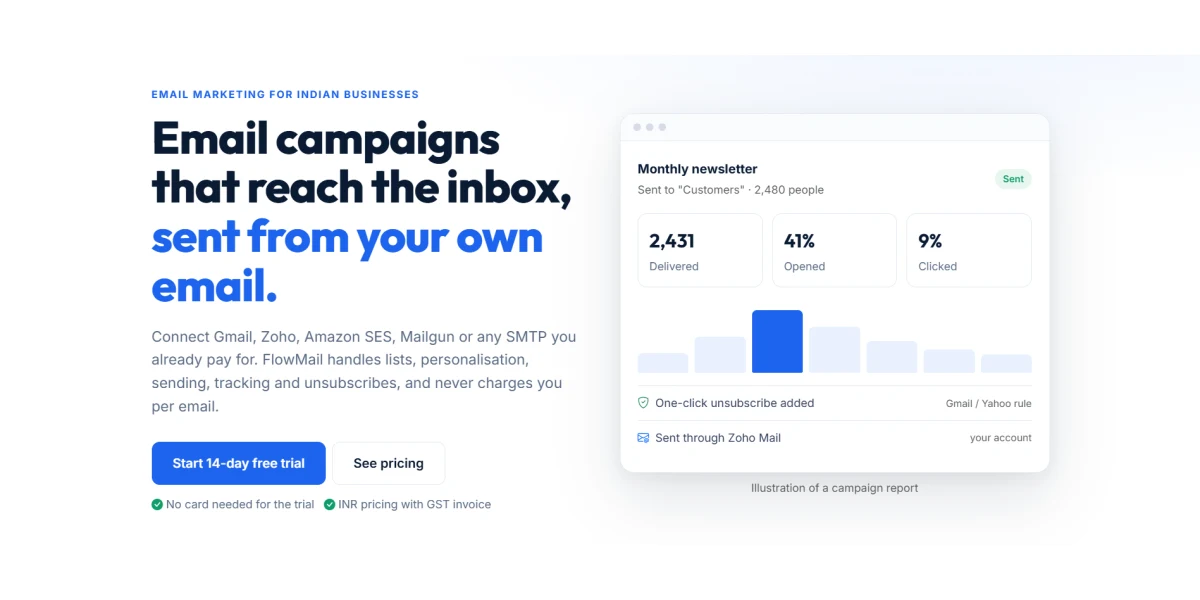
Email is still the cheapest way to stay in touch with customers who already know you: past buyers, enquiries, students, patients and subscribers. Most email tools, though, charge you more the more you send, bill in dollars, and suspend accounts without much explanation. FlowMail takes a different route. It sends through the email provider you already use, so a bigger list does not mean a bigger bill from us. It is built and run by Autoflowmatrix, and you can start a 14-day free trial at flowmail.autoflowmatrix.com.
What is FlowMail?
FlowMail is email campaign software for growing businesses. You keep your contacts in lists and segments, write a campaign from a ready-made design, and FlowMail sends it to each person with their own name, then shows who opened it, who clicked and who unsubscribed.
The difference is where the emails go out from. FlowMail does not send from shared servers of its own. You connect your own sending account: Gmail or Google Workspace, Zoho Mail, Microsoft 365, Amazon SES, Mailgun, SendGrid, Brevo, Postmark, Hostinger or any SMTP server. Your emails come from your own address, and your provider's normal price applies.
How FlowMail works
- You connect your email provider. Choose it from the list and FlowMail fills in the server details and tells you exactly which username and password to use (for example an App Password for Gmail). Send a test email to check it before your first campaign. The password is stored encrypted and never shown again.
- You add your contacts. Upload a CSV or Excel file. Columns such as Name, Email, Mobile, Company and City are recognised automatically, invalid and throw-away addresses are skipped, and people who unsubscribed or bounced before stay unsubscribed.
- You choose who gets the campaign. Pick one or more lists, or a segment such as "Agra customers who opened an email in the last 30 days". Segments update themselves, so new contacts who match are included the next time.
- FlowMail sends in small batches. Every minute a batch goes out through your provider. Each email is personalised (Hi Ravi, with a fallback such as Hi there when a name is missing) and carries an unsubscribe link plus the one-click unsubscribe that Gmail and Yahoo require from bulk senders.
- It protects your sender reputation. Addresses that bounce are never mailed again. If your provider rejects the login, or too many addresses fail, the campaign pauses itself and tells you in plain words what to fix, instead of burning through your list.
- You see the results. Opens, clicks, bounces and unsubscribes appear for the campaign and for each contact, and the notifications bell tells you when a campaign has finished.
What FlowMail can do
- Sending accounts: presets for Gmail, Zoho, Microsoft 365, Amazon SES, Mailgun, SendGrid, Brevo, Postmark, Hostinger and any SMTP, with a test email and clear error messages.
- Contacts: CSV and Excel import, lists, tags, search, and export at any time.
- Segments: live groups built from conditions on name, city, company, tags, lists, opens and clicks.
- Campaigns: ready-made designs (simple letter, newsletter, special offer) or your own HTML, live preview with a real contact's name, test email, send now or schedule in Indian time, pause, resume and duplicate.
- Templates: save your own designs and reuse them.
- Reports: delivered, opened, clicked, bounced and unsubscribed for every campaign.
- Deliverability built in: one-click unsubscribe, bounce suppression, a consent checkbox on import, and automatic pausing when something is wrong.
- Team: invite colleagues as admins, members or viewers.
How to send your first campaign (about 15 minutes)
- Create your account. Go to flowmail.autoflowmatrix.com, register and enter your business name.
- Start the free trial or choose a plan. The 14-day trial includes every feature and needs no card. Paid plans are bought on autoflowmatrix.com (UPI, cards, net banking) with a GST invoice, and activate as soon as you return.
- Connect your sending account. Settings, Sending accounts, Connect an account. Pick your provider, paste the details and click Send test email.
- Import your contacts. Contacts, Import. Upload your Excel or CSV file, give the list a name, and confirm these people agreed to hear from you.
- Create the campaign. Campaigns, New. Write a subject, choose the list, load a design and change the words. The preview shows it with a real contact's name.
- Send yourself a test, then send. Check the test on your phone, then click Send now or schedule it. Watch opens and clicks come in on the campaign page.
Plans
FlowMail starts with a 14-day free trial. Paid plans differ only by the number of contacts and team members; on paid plans FlowMail does not limit how many emails you send, because they go through your own provider. Current prices in rupees are on the FlowMail pricing page. Charges from your own email provider (for example Amazon SES or Google Workspace) are separate and paid to them.
Frequently asked questions
Which email provider should I use?
For a small list, the Gmail or Zoho account you already have is enough (a free Gmail account allows about 500 emails a day). For larger lists, Amazon SES is very low cost and handles high volumes. We can help you choose and set it up.
Will my emails land in spam?
FlowMail follows the rules Gmail and Yahoo set for bulk senders and stops sending when a list looks risky. Inbox placement also depends on your domain's SPF, DKIM and DMARC records and on mailing only people who agreed to hear from you. Autoflowmatrix can set up your domain records for you.
What happens when my trial or plan ends?
You can still log in and see all your contacts, campaigns and reports. Sending and changes pause until you choose a plan, and nothing is deleted.
Can I import my existing customer list?
Yes, from Excel or CSV. Only import people who agreed to receive email from you or who are your customers; it protects your sender name and is required by law in many countries.
Do I need technical knowledge?
No. The only technical step is connecting your email account, and FlowMail tells you exactly what to enter for each provider.
Get started
Start your free 14-day trial at flowmail.autoflowmatrix.com. Want help choosing a provider, setting up your domain or sending your first campaign? Contact Autoflowmatrix for a free consultation.